Faithful translation
Sentence by sentence, same order, no summary, no omission, no addition. It translates, it does not explain.
New in 1.2: video dubbing, on any website
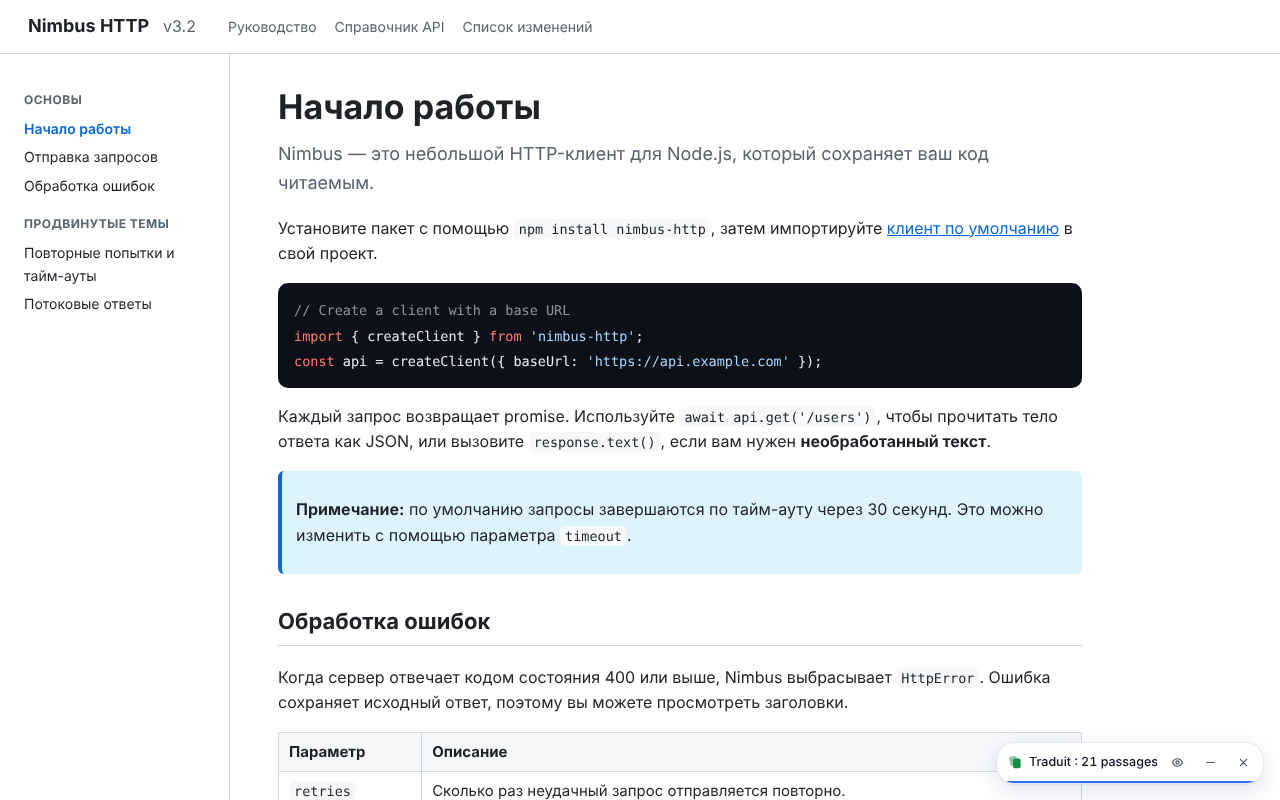
Faithfully translates developer documentation and programming websites into your language, without ever touching the code.
For everyone struggling with docs in a foreign language: official documentation, GitHub READMEs and issues, Stack Overflow, forums, tech blogs, conference talks.
Sentence by sentence, same order, no summary, no omission, no addition. It translates, it does not explain.
Commands, functions, APIs, paths and URLs are never translated. Links, bold text and code blocks stay in place.
Your browser language by default, among 37 languages. A Russian developer gets Russian, a Japanese one gets Japanese.
Tutorials and talks: subtitles are translated live on the video, YouTube included. No subtitles? The voice is transcribed for free (Groq Whisper). Optional read-aloud. Dubbing: the translation spoken by your browser's voice.
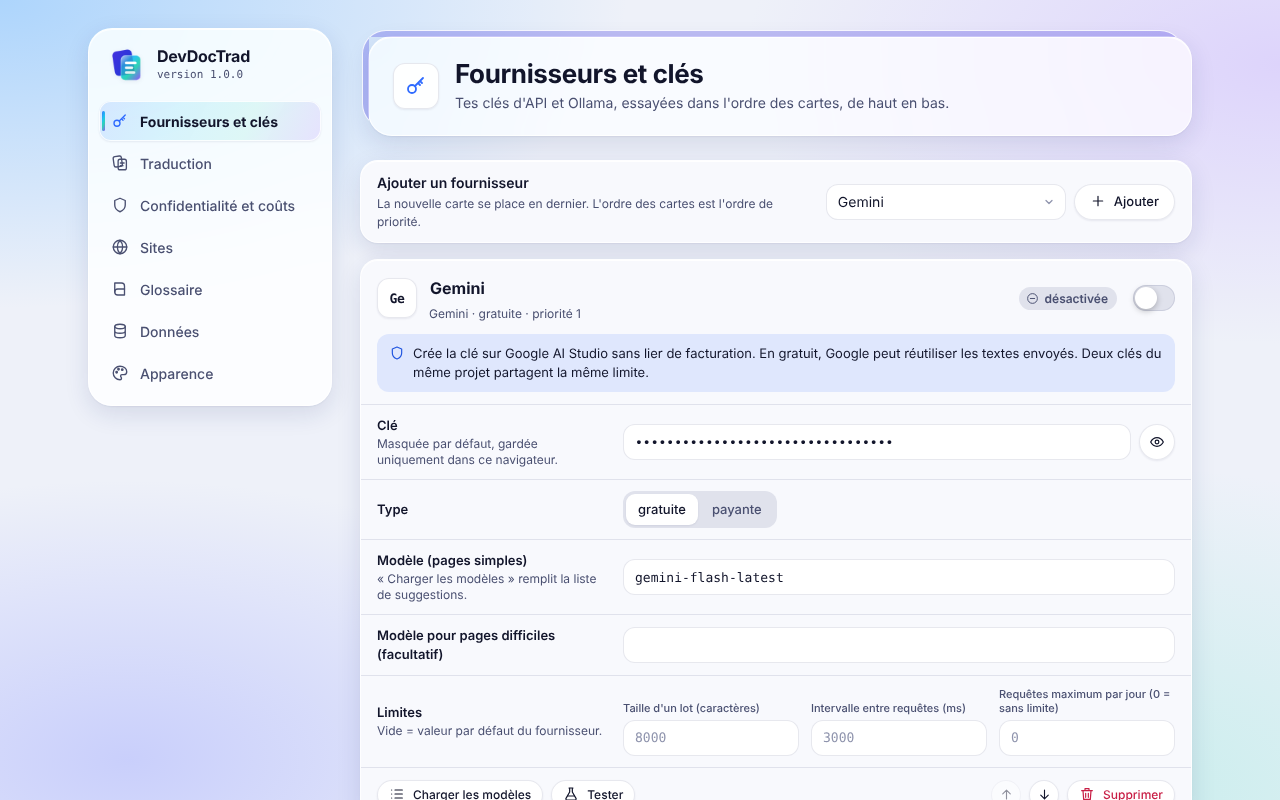
Free tiers of Gemini, Groq, Mistral, OpenRouter, or Ollama locally. A paid key stays blocked until you set a cap.
Replace the text or show the translation under each sentence. One click or Alt+Shift+T back to the exact original.
No analytics, no tracking. Keys stored in your browser. Sensitive pages are never translated automatically.
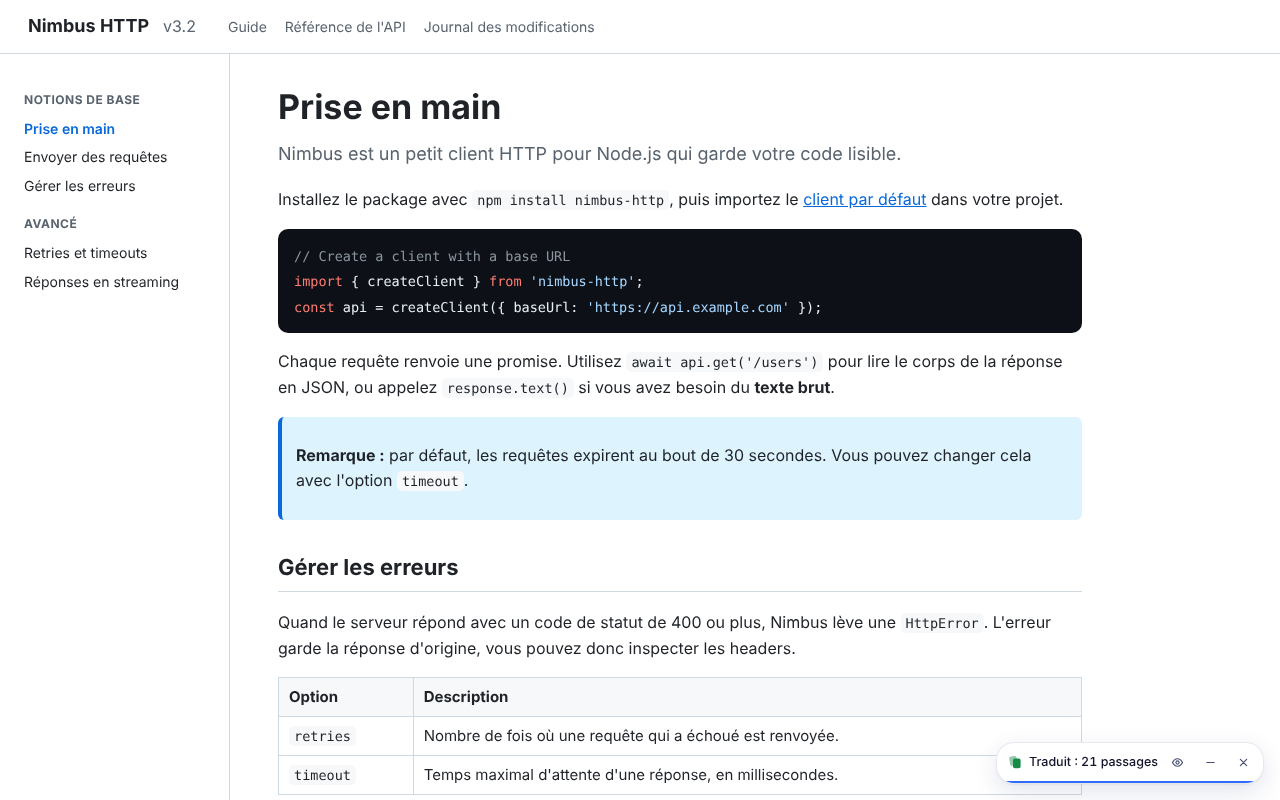
A piece of documentation in French. Switch modes: the text turns into your language, the code does not move.
Appelle readFile() pour charger le fichier, puis JSON.parse() pour le transformer en objet.Call readFile() to load the file, then JSON.parse() to turn it into an object.
import { readFile } from "node:fs/promises";

const text = await readFile("config.json", "utf8");
const config = JSON.parse(text);
Toutes les options dans la référence de l'APIAll options in the API reference
The code block, the function names and the link are identical in all three modes.
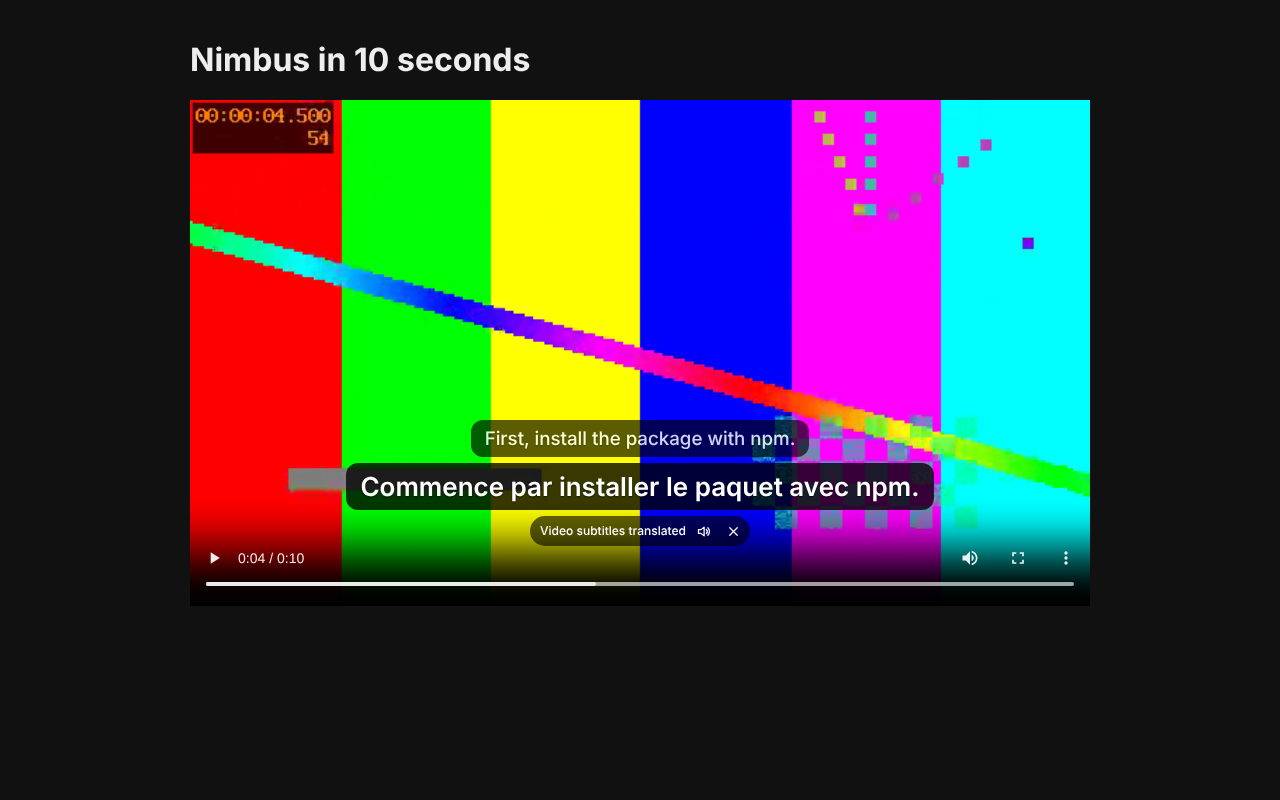
A talk in French: the translation appears live on the picture, under the original sentence. Here, a simulation.
npm install lru-cache.First, install the library with npm install lru-cache.fetch() par cachedFetch().Then, replace every call to fetch() with cachedFetch().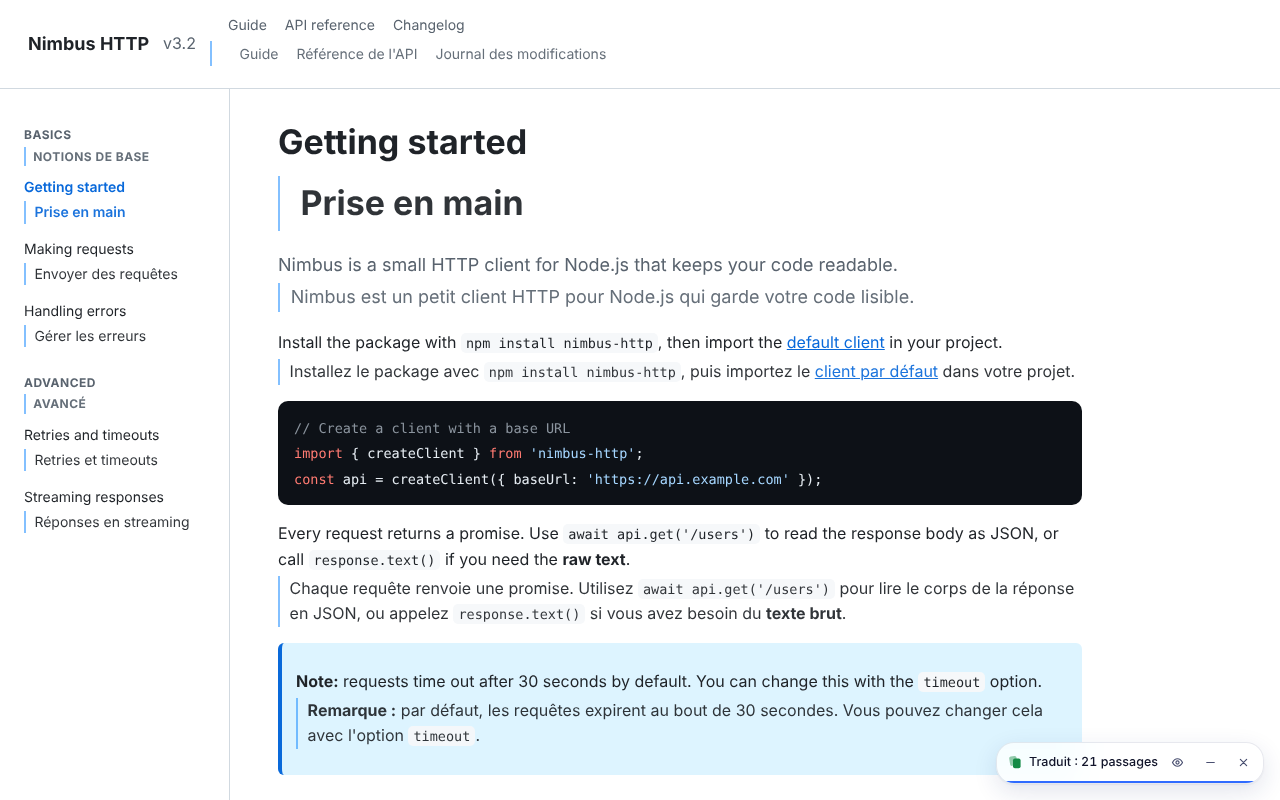
Firefox: one click from addons.mozilla.org. Chrome, Edge and Brave: a few clicks by hand, until the store listings are live.
chrome://extensions (or edge://extensions, brave://extensions).Install from addons.mozilla.org
Firefox 140 or later. Updates arrive automatically.
about:debugging#/runtime/this-firefox.:free models), or install Ollama. For the voice of videos without subtitles, use Groq.Yes. The extension is free and open source. It uses your own keys on providers' free tiers, or Ollama on your computer. It never falls back to a paid key, and a paid key stays blocked until you set a daily cap yourself.
Built-in translation also translates function names, commands and sometimes code, and often breaks the layout. DevDocTrad detects code, identifiers and URLs and never touches them, keeps links and formatting, and can show original and translation side by side.
Turn on “Translate the voice in videos” in the popup, or press Alt+Shift+V. If the video has subtitles (YouTube, talks, courses), they are translated and shown on the picture. Otherwise, the sound is cut into chunks of a few seconds and transcribed by Groq Whisper with your free Groq key, then translated. The speaker button reads the translation aloud with your browser's voice. Nothing is paid. For dubbing, choose “Subtitles + translated voice (dubbing)”: your browser's voice speaks the translation, in time with the video.
They are stored only in your browser's local storage, never synced, and sent only to the matching provider. They never appear in a URL, a log, or a message sent to a page.
Only to the provider you chose, or nowhere with Ollama. On free tiers, Google and Mistral may reuse the text: prefer Ollama for private pages. For voice, only short chunks of sound go to Groq.
37 target languages, including English, French, Spanish, German, Russian, Chinese, Japanese, Arabic and Brazilian Portuguese. Pages can be in any language. The extension interface is available in 36 languages (including Arabic, Hebrew and Persian, shown right to left) and follows your browser. This website is also available in 37 languages.
Yes, MIT license: reuse, modify and redistribute it, as long as you keep the license notice.